
How to Cancel Your Subscription
No hard feelings. Cancelling takes less than a minute — just follow these 3 quick steps.
1
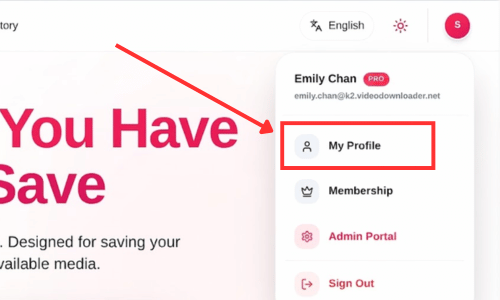
Open Your Profile
Log in to your account and head over to your profile page.
2
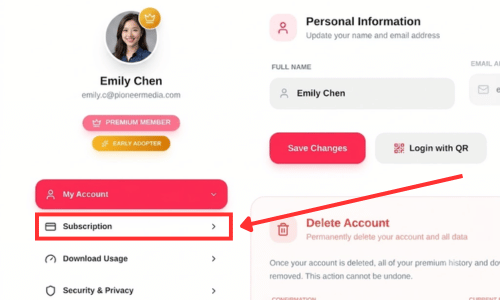
Open the Subscriptions Menu
In the sidebar menu of your profile, click on Subscription.
3
Cancel & Confirm
Click Cancel Subscription, then confirm in the popup. That's it!
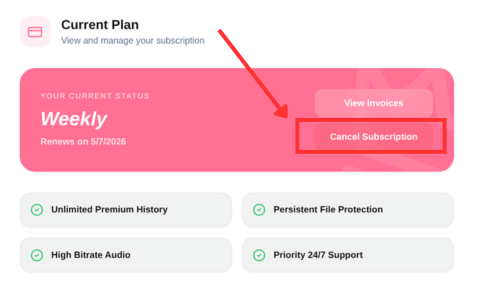
You'll keep all premium features until the end of your current billing period, and you won't be charged again.