
Как пользоваться нашим загрузчиком видео?
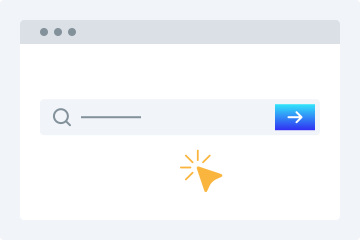
1. Введите URL
Скопируйте и вставьте URL видео в поле загрузчика.
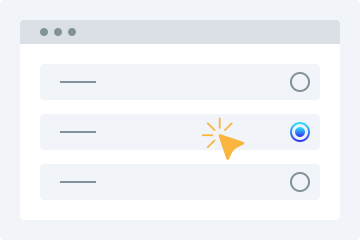
2. Выберите качество
Выберите качество, в котором хотите скачать видео.
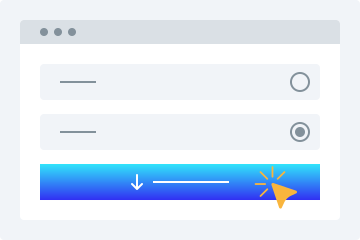
3. Скачать
Нажмите «Скачать видео», чтобы сохранить файл на устройстве.
Этот онлайн-загрузчик видео предлагает множество расширенных функций для бесплатного скачивания видео в нужных форматах. Инструмент позволяет легко скачивать общедоступные видео с поддерживаемых платформ.
Простота использования
Наш загрузчик выделяется удобным интерфейсом. Достаточно вставить ссылку, а всё остальное сделает сервис.
Несколько вариантов качества
Выбирайте подходящее качество: 360p, 480p, 720p, 1080p и 4K.
Поддержка всех платформ
Сервис работает на ПК, планшетах и смартфонах, позволяя скачивать видео на любом устройстве.
Предпросмотр видео
После вставки ссылки вы увидите воспроизводимый предпросмотр, чтобы убедиться, что выбрали нужный файл.
Установка не требуется
Не нужно устанавливать программы или плагины. Достаточно стабильного подключения к интернету, чтобы легко скачивать свои видео.
Скачивать видео стало проще
С помощью этого онлайн-инструмента скачивание видео из социальных сетей становится очень простым.
Без регистрации
В отличие от многих сервисов, наш инструмент не требует регистрации для скачивания видео.
Один загрузчик для множества сайтов
Не нужно искать отдельные инструменты для разных платформ.
Быстрое скачивание
Продвинутые алгоритмы быстро обрабатывают ссылку и начинают загрузку после выбора качества.
Загрузки для личного использования
Количество скачиваемых видео не ограничено для личного использования. Вы можете скачивать видео по мере необходимости.
Why Use This Tool?
Compatible Across Platforms
Accepts publicly available video URLs from leading social networks and streaming services — great for backing up your uploads, preserving public announcements, or accessing open-licensed material you're permitted to save.
Zero Software Setup
Operates completely inside your browser. Nothing to download, install, or keep updated. Functions on Windows, macOS, Linux, Android, and iOS — no compatibility headaches.
Your Privacy Matters
Standard downloads don't require an account. Submitted URLs are handled momentarily and never kept long-term. We don't monitor your activity or pass your information to third parties.
Quick Results, Flexible Formats
Gets your file ready in moments. Choose from lower resolutions like 360p and 480p all the way up to 720p, 1080p, and 4K when supported. Audio-only MP3 extraction is also available.
Built for Legal Use
Platforms that explicitly forbid downloading are off-limits. Our service is intended solely for saving your original content and publicly accessible media where you hold the rights to keep a copy.
Часто задаваемые вопросы
Как скачать видео на телефон?
- Откройте наш сервис в браузере.
- Вставьте URL нужного видео.
- Выберите подходящее качество.
- Нажмите «Скачать видео», чтобы сохранить файл.
Безопасен ли загрузчик видео?
Да. Наш инструмент безопасен, и мы не храним скачанные файлы на наших серверах.
Can I save videos for my own personal use?
This tool is meant for content you created, have approval to download, or that falls under an open license such as Creative Commons. That includes your own social uploads, publicly shared clips where the owner allows saving, and public domain material. Always confirm you're authorised to download. Platforms that forbid downloading are blocked.
Which file types can I get?
Videos are delivered as MP4, the most universally compatible format across devices. For audio-only needs, MP3 is available at multiple bitrate settings.
Will this work on an iPhone or iPad?
Yes. Open Safari, visit the site, paste your link, and download. No app required. Keep in mind iOS restricts certain save destinations — you may need the Files app to locate your downloaded media.
Can you access private or password-protected videos?
We only handle publicly visible content or videos you already have access to, such as your own unlisted uploads. Privacy settings, password gates, and paywalls cannot be bypassed.
Is my information protected here?
Absolutely. All data exchanged is encrypted via HTTPS. Submitted URLs are processed on the fly and never kept permanently. We don't sell or disclose your personal details.
What should I do if a link fails to process?
The source may have been deleted, set to private, or the platform could have changed its URL format. Double-check the link works in your browser first. If it still fails, the site may have introduced new restrictions.
Is there an option to grab just the audio?
Yes. Choose MP3 extraction to pull the audio track on its own. Handy for saving your own recordings, publicly licensed lectures, or other open-license audio content.
Are there any daily usage caps?
Free users have no strict daily cap for legitimate personal use, though rate limits apply to keep things fair. Premium members receive priority processing and faster speeds.
What sets this apart from similar services?
Unlike bulk or unrestricted tools, this one is designed for responsible use: saving your own content and publicly available media you're entitled to keep. We respect platform policies and follow DMCA guidelines.