
動画ダウンローダーの使い方
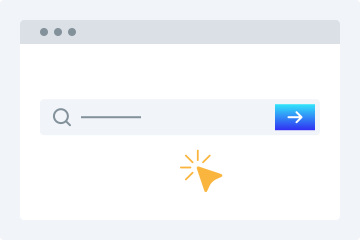
1. URLを入力
動画のURLをコピーして、ダウンロード欄に貼り付けます。
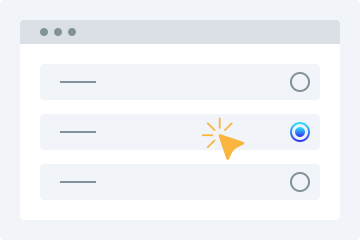
2. 品質を選択
ダウンロードしたい動画の品質を選択します。
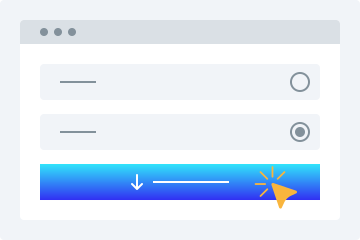
3. ダウンロード
「動画をダウンロード」ボタンを押して、デバイスに保存します。
このオンライン動画ダウンローダーには、希望する形式で無料動画をダウンロードできる高度な機能が多数搭載されています。対応プラットフォームの公開動画を簡単に保存できます。主な特長を以下で紹介します。
使いやすい
このダウンローダー最大の特長は、わかりやすいユーザーインターフェースです。初心者にも使いやすく、お気に入り動画のリンクを上の検索ボックスに貼り付けるだけで、あとはツールが処理します。
複数の画質オプション
動画保存時に画質は重要です。当社のHD動画ダウンローダーなら、必要な画質に合わせて動画を保存できます。360p、480p、720p、1080p、4Kから選択できます。
すべてのプラットフォームに対応
どのデバイスでも動画をダウンロードしたいなら、このサービスが最適です。PC、タブレット、スマートフォンに対応しており、外出先でも簡単に利用できます。
動画プレビュー
リンクを貼り付けると再生可能なプレビューが表示されるため、目的のファイルかどうかを確認してからダウンロードできます。
インストール不要
この MP4 動画ダウンロード機能を使うために、ソフトウェアやプラグインをインストールする必要はありません。安定したインターネット接続があれば、動画を簡単にダウンロードできます。
動画ダウンロードをもっと簡単に
このオンラインツールを使えば、SNSからの動画保存がとても簡単になります。利用することで得られる主なメリットを紹介します。
登録不要
多くのダウンローダーは登録を求めますが、このツールは登録なしで動画を保存できます。面倒なサインアップは不要です。
複数サイトに対応する単一ダウンローダー
サイトごとに別のツールを探す必要はありません。人気サイトの動画を一つのツールで手軽に保存できます。
すばやくダウンロード
高度なアルゴリズムにより、リンク解析から動画処理までを短時間で実行し、すぐにダウンロードできる状態にします。
個人的な利用のためにダウンロード
このオンラインツールでは、個人的な利用のために必要なだけ動画をダウンロードできます。
Why Use This Tool?
Compatible Across Platforms
Accepts publicly available video URLs from leading social networks and streaming services — great for backing up your uploads, preserving public announcements, or accessing open-licensed material you're permitted to save.
Zero Software Setup
Operates completely inside your browser. Nothing to download, install, or keep updated. Functions on Windows, macOS, Linux, Android, and iOS — no compatibility headaches.
Your Privacy Matters
Standard downloads don't require an account. Submitted URLs are handled momentarily and never kept long-term. We don't monitor your activity or pass your information to third parties.
Quick Results, Flexible Formats
Gets your file ready in moments. Choose from lower resolutions like 360p and 480p all the way up to 720p, 1080p, and 4K when supported. Audio-only MP3 extraction is also available.
Built for Legal Use
Platforms that explicitly forbid downloading are off-limits. Our service is intended solely for saving your original content and publicly accessible media where you hold the rights to keep a copy.
よくある質問
スマートフォンで動画をダウンロードするには?
- ブラウザから当社の動画ダウンロード機能にアクセスします。
- 対象動画のURLを入力欄に貼り付けます。
- 必要な画質を選択します。
- 「動画をダウンロード」をタップして端末に保存します。
動画ダウンローダーは安全ですか?
はい。あらゆる端末で安全に利用できます。ダウンロードしたファイルを当社サーバーに保存することはありません。
Can I save videos for my own personal use?
This tool is meant for content you created, have approval to download, or that falls under an open license such as Creative Commons. That includes your own social uploads, publicly shared clips where the owner allows saving, and public domain material. Always confirm you're authorised to download. Platforms that forbid downloading are blocked.
Which file types can I get?
Videos are delivered as MP4, the most universally compatible format across devices. For audio-only needs, MP3 is available at multiple bitrate settings.
Will this work on an iPhone or iPad?
Yes. Open Safari, visit the site, paste your link, and download. No app required. Keep in mind iOS restricts certain save destinations — you may need the Files app to locate your downloaded media.
Can you access private or password-protected videos?
We only handle publicly visible content or videos you already have access to, such as your own unlisted uploads. Privacy settings, password gates, and paywalls cannot be bypassed.
Is my information protected here?
Absolutely. All data exchanged is encrypted via HTTPS. Submitted URLs are processed on the fly and never kept permanently. We don't sell or disclose your personal details.
What should I do if a link fails to process?
The source may have been deleted, set to private, or the platform could have changed its URL format. Double-check the link works in your browser first. If it still fails, the site may have introduced new restrictions.
Is there an option to grab just the audio?
Yes. Choose MP3 extraction to pull the audio track on its own. Handy for saving your own recordings, publicly licensed lectures, or other open-license audio content.
Are there any daily usage caps?
Free users have no strict daily cap for legitimate personal use, though rate limits apply to keep things fair. Premium members receive priority processing and faster speeds.
What sets this apart from similar services?
Unlike bulk or unrestricted tools, this one is designed for responsible use: saving your own content and publicly available media you're entitled to keep. We respect platform policies and follow DMCA guidelines.