
Wie nutzt man unseren Video-Downloader?
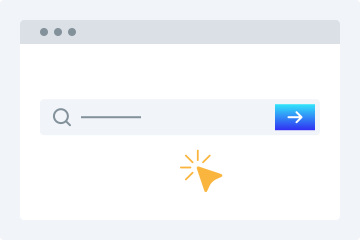
1. URL eingeben
Kopiere die Video-URL und füge sie in das Download-Feld ein.
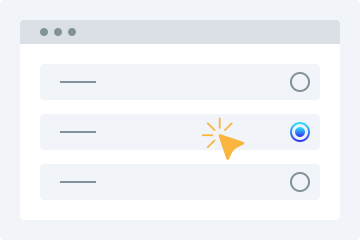
2. Qualität wählen
Wähle die Videoqualität aus, in der du das Video herunterladen möchtest.
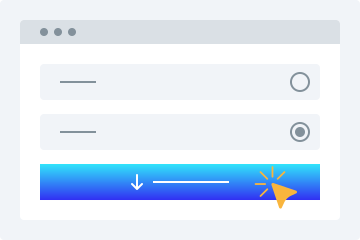
3. Herunterladen
Klicke auf „Video herunterladen“, um das Video auf deinem Gerät zu speichern.
Dieser Online-Video-Downloader bietet viele erweiterte Funktionen, mit denen du Videos kostenlos in den gewünschten Formaten herunterladen kannst. Das Tool ermöglicht es dir, öffentlich verfügbare Videos von unterstützten Plattformen einfach zu speichern. Im Folgenden findest du einige der wichtigsten Vorteile.
Einfach zu bedienen
Unser Downloader überzeugt vor allem durch seine benutzerfreundliche Oberfläche. Das Layout ist ideal für Einsteiger: Link kopieren, einfügen und den Rest erledigt unser Tool.
Mehrere Qualitätsoptionen
Videoqualität ist beim Speichern besonders wichtig. Unser HD-Video-Downloader bietet verschiedene Qualitäten wie 360p, 480p, 720p, 1080p und 4K.
Alle Plattformen unterstützt
Unser Video-Downloader funktioniert auf PCs, Tablets und Smartphones. So kannst du Videos auf jedem Gerät bequem speichern.
Videovorschau
Nach dem Einfügen der URL erhältst du eine abspielbare Vorschau, damit du sicherstellen kannst, dass es das richtige Video ist.
Keine Installation erforderlich
Du musst keine Software oder Plugins installieren. Eine stabile Internetverbindung reicht aus, um deine Videos herunterzuladen.
Videos herunterladen leicht gemacht
Mit diesem Online-Tool wird das Herunterladen von Videos aus sozialen Netzwerken sehr einfach. Hier sind einige der wichtigsten Vorteile.
Keine Registrierung
Viele Downloader verlangen eine Registrierung. Unser Tool nicht. Du kannst Videos speichern, ohne dich anzumelden.
Ein Downloader für viele Seiten
Du musst nicht mehr nach verschiedenen Tools suchen. Unser Dienst unterstützt viele bekannte Plattformen an einem Ort.
Videos schnell herunterladen
Unsere fortschrittlichen Algorithmen liefern Ergebnisse in wenigen Augenblicken und starten den Download nach der Qualitätsauswahl sofort.
Videos nach Bedarf herunterladen
Du kannst Videos für den persönlichen Gebrauch nach Bedarf herunterladen, ohne dir Sorgen um strenge Grenzen machen zu müssen.
Why Use This Tool?
Compatible Across Platforms
Accepts publicly available video URLs from leading social networks and streaming services — great for backing up your uploads, preserving public announcements, or accessing open-licensed material you're permitted to save.
Zero Software Setup
Operates completely inside your browser. Nothing to download, install, or keep updated. Functions on Windows, macOS, Linux, Android, and iOS — no compatibility headaches.
Your Privacy Matters
Standard downloads don't require an account. Submitted URLs are handled momentarily and never kept long-term. We don't monitor your activity or pass your information to third parties.
Quick Results, Flexible Formats
Gets your file ready in moments. Choose from lower resolutions like 360p and 480p all the way up to 720p, 1080p, and 4K when supported. Audio-only MP3 extraction is also available.
Built for Legal Use
Platforms that explicitly forbid downloading are off-limits. Our service is intended solely for saving your original content and publicly accessible media where you hold the rights to keep a copy.
Häufig gestellte Fragen
Wie lade ich ein Video auf mein Handy herunter?
- Öffne unsere Download-Funktion in deinem Browser.
- Gib die URL des gewünschten Videos in das Feld ein.
- Wähle die passende Videoqualität.
- Tippe auf „Video herunterladen“, um die Datei zu speichern.
Ist der Video-Downloader sicher?
Ja, unser Tool ist sicher. Wir speichern keine heruntergeladenen Dateien auf unseren Servern.
Can I save videos for my own personal use?
This tool is meant for content you created, have approval to download, or that falls under an open license such as Creative Commons. That includes your own social uploads, publicly shared clips where the owner allows saving, and public domain material. Always confirm you're authorised to download. Platforms that forbid downloading are blocked.
Which file types can I get?
Videos are delivered as MP4, the most universally compatible format across devices. For audio-only needs, MP3 is available at multiple bitrate settings.
Will this work on an iPhone or iPad?
Yes. Open Safari, visit the site, paste your link, and download. No app required. Keep in mind iOS restricts certain save destinations — you may need the Files app to locate your downloaded media.
Can you access private or password-protected videos?
We only handle publicly visible content or videos you already have access to, such as your own unlisted uploads. Privacy settings, password gates, and paywalls cannot be bypassed.
Is my information protected here?
Absolutely. All data exchanged is encrypted via HTTPS. Submitted URLs are processed on the fly and never kept permanently. We don't sell or disclose your personal details.
What should I do if a link fails to process?
The source may have been deleted, set to private, or the platform could have changed its URL format. Double-check the link works in your browser first. If it still fails, the site may have introduced new restrictions.
Is there an option to grab just the audio?
Yes. Choose MP3 extraction to pull the audio track on its own. Handy for saving your own recordings, publicly licensed lectures, or other open-license audio content.
Are there any daily usage caps?
Free users have no strict daily cap for legitimate personal use, though rate limits apply to keep things fair. Premium members receive priority processing and faster speeds.
What sets this apart from similar services?
Unlike bulk or unrestricted tools, this one is designed for responsible use: saving your own content and publicly available media you're entitled to keep. We respect platform policies and follow DMCA guidelines.